


Remote Employee Monitoring Software: Everything You Need to Know in 2026
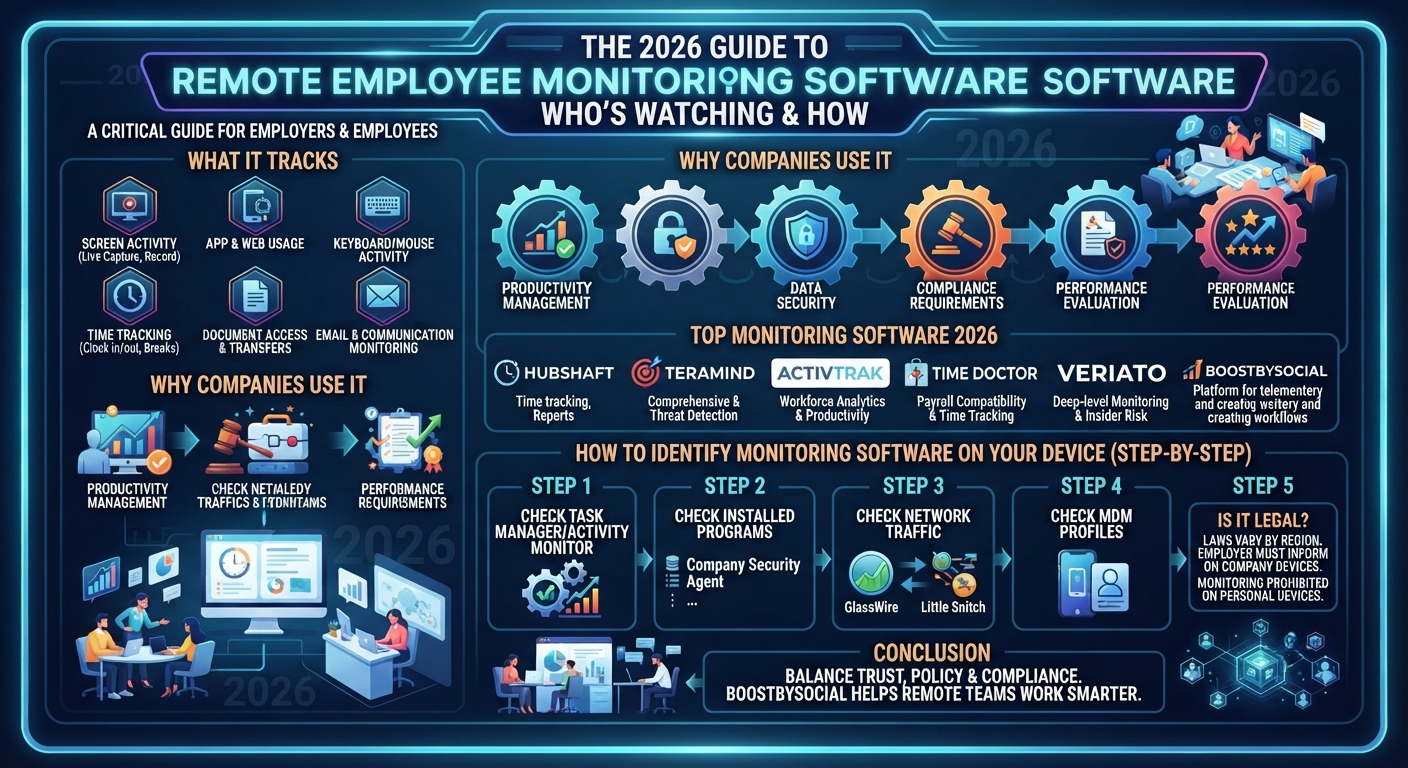
With remote working, there has been a shift in business methods, and a big question that arises for employers and employees alike is: who's watching and how?
Many remote employee monitoring software are now used in many companies around the world. For businesses seeking to monitor a more distributed team, or for remote workers seeking to know what's happening with their activity, knowing how it works, and how to find out, is critical in 2026.
This guide will outline all of this, what remote employee monitoring software does, the top companies that use it and how to identify employee monitoring software step-by-step on your device.
What Is Remote Employee Monitoring Software?
The remote employee monitoring software is a group of software that enables employers to monitor, record and analyze the work activity of remote workers and employees who work from home.
These tools will be able to track the following activities:
-
Screen activity is a Live screen capture or screen record at regular intervals.
-
Which apps and websites the employee accesses while on the job —
-
Tracking activity on the keyboard/mouse — Determines if an employee is actively working or not.
-
Time tracking: Login/Logout times, break times and active work hours
-
Document access and transfers — documents opened, edited or shared
-
Email & communication monitoring — In some instances, emails and chatter on company systems
Typically, it is used to ensure productivity, safeguard company data and effectively manage remote teams. But the difference between being productive and intruding on someone's privacy is fairly narrow though, which is why it's important to know what to look out for in addition to what it does.
Why Do Companies Use Remote Employee Monitoring Software?
Businesses don't spend money unnecessarily on monitoring tools. It's no surprise that this software has become a multi-billion dollar industry:
Productivity Management
This is indeed a challenge working with a group of people across the globe and time zones. Monitoring tools provide managers with a picture of whether or not staff are working during their allocated time, or on other tasks.
Data Security
Working remotely can make for greater vulnerability to data breaches. The monitoring software can alert IT systems to suspicious file transfers, unauthorized access to sensitive data or even potential insider threats before they turn into an issue.
Compliance Requirements
In sectors such as finance, healthcare, and legal, adherence to legal requirements mandates the preservation of employee communications and access to data.For businesses in industries like finance, healthcare, and legal, legal requirements mean keeping records of employee communication and access to data is mandatory. This compliance documentation is automated with the use of monitoring software.
Performance Evaluation
Some companies measure how an employee spends his or her time by tracking the activity, not just the output, and are particularly interested in time-on-task in client-billing jobs because time equals revenue.
Top Remote Employee Monitoring Software Used in 2026
These are the most commonly used platforms that businesses are using today:
1. Hubstaff
Hubstaff is one of the most popular time tracking tools in the world, which can take screenshots at regular intervals, keeps an eye on the apps and websites used, and provides in-depth productivity reports. It is widely used in the agencies and freelance platforms.
2. Teramind
Teramind is a comprehensive monitoring and insider threat detection solution. It captures screens, logs keystrokes, monitors e-mail and offers behavioral analytics. It is prevalent among enterprise level companies.
3. ActivTrak
ActivTrak is an analytics and productivity tool for the workforce. It records active time vs idle time, application usage and website visits - and displays this information in easy-to-understand dashboards for managers.
4. Time Doctor
Time Doctor is a blend of tracking time and adding the optional feature of taking screenshots and keeping an eye on what websites users are visiting. It is also compatible with payroll software and is heavily favored by the remote-first companies.
5. Veriato
Veriato's monitoring features include deep-level monitoring of keystroke activity, email monitoring and even tracking of social media usage on company devices. Mainly targeted at security oriented organizations.
Platforms such as BoostBySocial can also offer suggestions on effective management of remote teams, ensuring workflow efficiency for businesses handling remote teams and their digital marketing operations.
How to Detect Employee Monitoring Software on Your Device
This is the information that's most important to remote workers. If you are on a company device, it's almost certain there is some type of monitoring or surveillance. Here are the stages to discovering employee monitoring software.
Step 1: Check the Task Manager or Activity Monitor
On Windows:
To open the Task Manager, click Ctrl + Shift + Esc. Look on the Processes tab for some unfamiliar background processes. Some popular software that monitors names are: Teramind Agent, HubstaffClient, ActivTrakAgent, TDAgent (Time Doctor) or VeriProcess.
On Mac:
Open Activity Monitor: Applications → Utilities. Look at CPU and memory utilization of running processes that you don't know.
Step 2: Check Installed Programs.
On Windows:
Tap Settings - Apps - Installed Apps and scroll down through the list. Sometimes monitoring software is disguised under a generic name (for example, "Company Security Agent" or "IT Management Tool") so that they cannot be detected.
On Mac:
Open Finder, and search for software that you didn't install.
Step 3: Check Your Network Traffic
Data is automatically fed back to a central server using monitoring software. Software such as GlassWire (Windows) or Little Snitch (Mac) displays every Internet connection which is being used. Continuous transfer of data to an unknown server indicates that it may be monitoring software.
Step 4: Check for MDM (Mobile Device Management) Profiles
If your business uses an MDM solution for managing your laptop, they have access to a wide range of information on your device.
On Mac: Click on System Settings, then Privacy & Security, then Profiles. If a company profile is installed, then monitoring is likely to be enabled.
On Windows: Click on Settings → Accounts → Access Work or School. If the account is connected, it is likely the account is enrolled in MDM.
Step 5: Ask Your IT or HR Department
This is a no-brainer, but the most effective way to do it! Many nations have laws that mandate the disclosure of any monitoring of employees' devices. If you ask directly your HR or IT department, your response will certainly be clear.
Is Remote Employee Monitoring Software Legal?
There are drastic differences from country to country and region to region. Most countries legal allow monitoring on the company property devices provided that the employee is informed about. Within the European Union, GDPR sets out very clear guidelines regarding the types of monitoring that are allowed, and how data needs to be kept. Laws are different across each of the states in the United States, with some states, such as California, being more protective of the privacy rights of their employees than others.
The primary rule in a majority of countries: employer is required to inform of monitoring of work devices. Personal device covert monitoring is prohibited in almost all countries.
How BoostBySocial Helps Remote Teams Work Smarter
Telemotery is not only about monitoring, it's about creating workflows that really work. BoostBySocial is designed to optimize the social and digital operations of businesses that work remotely, allowing businesses to use productivity tools that enhance and complement trust-based management.
Frequently Asked Questions
Q: Can my employer monitor me on a personal device?
A: Generally, no — if you are using your personal laptop or phone, your employer cannot legally install monitoring software without your explicit consent. Monitoring is typically limited to company-owned devices.
Q: Does remote employee monitoring software work when I am offline?
A: Most monitoring tools cache data locally when offline and upload it once an internet connection is restored. So offline activity can still be tracked.
Q: Can I remove employee monitoring software from my work laptop?
A: Technically possible, but strongly inadvisable. Removing company-installed software from a work device can violate your employment contract and may be grounds for termination.
Q: What is the most common remote employee monitoring software used today?
A: Hubstaff, ActivTrak, Teramind, and Time Doctor are among the most widely deployed tools globally across small businesses and enterprises alike.
Q: How do I know if my screenshots are being taken?
A: Some tools notify users when screenshots are captured; others do not. The most reliable way to check is through Task Manager, Activity Monitor, or by reviewing your company's IT policy documentation.
Conclusion
Monitoring of remote workers is an inevitability of the modern workplace and it is now crucial to understand. If you're an employer looking to make transparency a key part of your remote team management workflow, or an employee who wants to learn more about their digital footprint at work, understanding how the software works and how to spot employee monitoring software puts you in control.
The right solution always is a mixture of company policy, compliance with the law, and trust. Tools are nothing more than what they are used in.
When it comes to creating smarter and more efficient remote work teams, having the right blend of productivity tools and transparent communication plans is what it's all about and that's where platforms like BoostBySocial can help your business grow.
