


Discovering Eaglercraft: A Unique Way to Play Minecraft in Your Browser
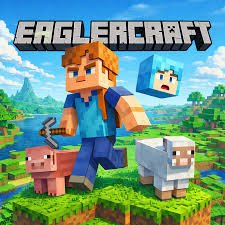
If you’ve ever wanted to play a classic game without downloads, installations, or high-end hardware, you might be pleasantly surprised by a browser-based experience that feels surprisingly familiar. I recently came across a project called Eaglercraft, which recreates the essence of Minecraft directly in your web browser. It’s not an official release, but rather a community-driven effort to keep older versions of the game accessible and lightweight. Here’s how you can get started, what to expect, and a few tips to make the most of it.
Getting Started: What Is Eaglercraft?
At its core, Eaglercraft is a singleplayer and multiplayer Minecraft clone that runs entirely in your browser using JavaScript and WebGL. You don’t need to install Java, download launchers, or worry about system compatibility. Simply open your browser, navigate to Eaglercraft, and you’re ready to go. The game is based on an older version of Minecraft (around 1.5.2), so it won’t have the latest features like elytras or aquatic updates, but it retains the charm of early survival gameplay.
The interface is straightforward: when you load the page, you’ll see options for singleplayer worlds, multiplayer servers, and settings. Singleplayer worlds are generated procedurally, just like in the original game, so you can jump into survival or creative mode immediately.
Gameplay: What Works and What Doesn’t
Playing Eaglercraft feels surprisingly smooth for a browser game. You move with WASD, use your mouse to look around, and left-click to break blocks. The crafting system is the classic 2x2 and 3x3 grid, so you’ll need to remember basic recipes if you want to build tools, furnaces, or shelter. Lighting and mob behavior are also well replicated—creepers still hiss, skeletons still shoot arrows, and zombies still burn in daylight.
That said, there are a few differences. The rendering is slightly less polished than the official game, and you may notice occasional glitches with block transparency or mob pathfinding. Also, because it runs in a browser, performance depends on your browser and internet speed. Chrome or Firefox usually work best. If you’re playing multiplayer, you’ll need to find a server address that supports Eaglercraft clients—many communities list public servers on forums or Discord groups.
Tips for a Better Experience
- Use a modern browser: For the smoothest performance, stick with Chrome, Edge, or Firefox. Safari and older browsers may struggle with WebGL rendering.
- Adjust your view distance: In the settings menu, lower the render distance if you experience lag. A shorter view distance can make the game run much more smoothly, especially on older computers.
- Play with friends: Multiplayer is where Eaglercraft really shines. You can join public servers or set up a private one using tools like “EaglercraftX” or “EaglercraftBungee.” This allows you to collaborate on builds or explore with others.
- Save your worlds: Singleplayer worlds are stored in your browser’s local storage. If you clear your cache, you’ll lose your progress. To back up your world, look for the “Export World” option in the menu and save the file to your computer.
- Explore creative mode: If survival feels too tough, switch to creative mode via the settings. You’ll be able to fly, access unlimited blocks, and build without worrying about health or hunger.
A Final Word
Eaglercraft isn’t trying to replace the official Minecraft, and it certainly has its quirks. But for anyone who wants a quick, free, and low-commitment way to mine, craft, and build, it’s a delightful throwback. Whether you’re revisiting old memories or trying the game for the first time, this browser version offers a surprisingly solid experience. Just remember to back up your worlds, play with friends when you can, and enjoy the nostalgia of a simpler blocky world.
