


Professional Ways to Convert Logo to Husqvarna Viking File
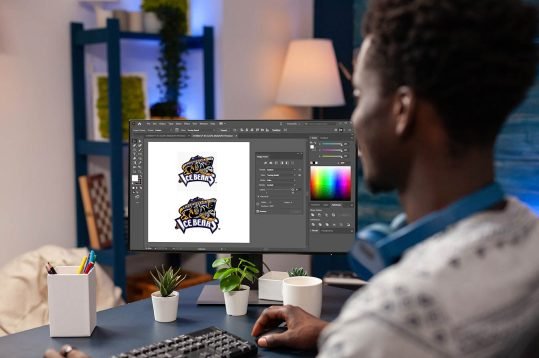
Introduction: Your Logo Deserves Better Than a Blurry Mess
You have a crisp logo. Maybe it’s your small business emblem, a team patch design, or a personal monogram you drew yourself. You want to stitch it onto hats, bags, or polo shirts using your Husqvarna Viking machine. So you grab that logo file—probably a JPG, PNG, or PDF—and you hope for the best. Then reality hits. Your machine doesn’t read pictures. It reads stitch commands. And if you don’t convert that logo the right way, you will end up with a thread-tangled disaster that looks nothing like your original artwork.
That’s where professional conversion comes in. I’m not talking about dragging and dropping into some free website. I’m talking about real digitizing methods that preserve your logo’s shape, colors, and tiny details. In this guide, I’ll show you exactly how to Convert Logo to Husqvarna Viking File like someone who does this for a living. We’ll cover software choices, step-by-step workflows, common mistakes to avoid, and when to outsource to a pro. No fluff. Just actionable advice from someone who has digitized hundreds of logos.
Why Husqvarna Viking Files Are Different
Let’s clear something up. Husqvarna Viking machines primarily use the HUS file format, but many newer models also read PES, DST, and even VP3. That sounds flexible, but here’s the catch. Your logo has solid colors, smooth curves, and sharp corners. A HUS file expects satin stitches, underlay, and pull compensation. If you simply convert a logo without understanding these elements, the outline will gap, the fill will pucker, and the small text will turn into a blob.
Professional digitizers think in stitches, not pixels. When I look at a logo, I see three things: which parts need a dense tatami fill, which edges need a satin stitch, and where I need to add underlay to prevent fabric pull. A Husqvarna Viking machine reads those instructions precisely. Give it a bad file, and it follows those bad instructions perfectly. The machine isn’t the problem. The conversion is.
The Professional Software Route
If you want full control over your logo conversion, you need proper software. Here are the three industry standards that professional digitizers actually use.
Wilcom Embroidery Studio is the gold standard. It costs around $2,500, and yes, that’s a serious investment. But here’s why pros pay it. Wilcom’s auto-digitizing feature for logos actually works. You import your logo, and the software identifies color boundaries, suggests stitch types, and even handles small text automatically. You then tweak the angles, add pull compensation, and export a clean HUS file. I’ve used Wilcom to convert a complex six-color brewery logo with tiny lettering. The finished design stitched perfectly on a Husqvarna Viking Designer Epic.
Hatch Embroidery 3 is Wilcom’s consumer-friendly sibling at around $1,200. It has 95% of the same logo-digitizing power but with a simpler interface. I recommend Hatch to small business owners who digitize their own logos regularly. The auto-digitize wizard handles most vector logos beautifully. You can also manually trace each color region and assign stitch types. The simulation view shows you exactly how the logo will stitch before you waste thread.
Embird with the Iconizer plugin costs around $220 total. It’s less polished but very capable. I use Embird when I need to convert a logo quickly without opening heavy software. The manual tracing tools are precise, and the HUS export preserves color order well. The learning curve is steeper, but the price is right for someone digitizing five to ten logos per year.
The Step-by-Step Professional Workflow
Let me walk you through how I convert a logo to a Husqvarna Viking file using Hatch Embroidery 3. You can adapt these steps to any software.
First, I get the logo in vector format. A vector file (EPS, AI, or SVG) contains clean paths, not pixels. If you only have a JPG or PNG, I trace it manually in Inkscape or Adobe Illustrator first. Never auto-trace a low-resolution logo. The results are always jagged.
Second, I import the vector into Hatch. I use the auto-digitize wizard and set the logo size to my final embroidery dimensions, usually between 3 and 5 inches for a chest logo. I tell the software the fabric type. A denim jacket needs more underlay than a cotton t-shirt. The wizard generates stitch suggestions.
Third, I manually adjust every color region. For thick letters, I change the auto-suggested tatami fill to a satin stitch. For small text under 0.25 inches, I simplify or remove it because the needle physically cannot stitch that detail. I add pull compensation of 0.3 to 0.5 millimeters outward on fills so the design doesn’t shrink after stitching.
Fourth, I run the simulation. I look for gaps between color blocks. I check that satin stitches run perpendicular to the edge of each letter. I verify that underlay stitches won’t show through the top thread. Then I export as HUS, specifically choosing Husqvarna Viking as the machine type in the export settings.
Fifth, I stitch a test on the same fabric as the final product. I watch the first color stop. If the pull compensation is wrong, I adjust and re-export. Professional digitizers expect at least two or three test rounds before the logo looks perfect.
The Outsourcing Option: When to Hire a Pro
Here’s a secret even some seasoned embroiderers won’t admit. You don’t have to digitize every logo yourself. Professional digitizing services charge $10 to $25 per logo, depending on complexity and stitch count. For that price, you get a HUS file that works on your Husqvarna Viking machine on the first try.
I outsource when the logo has more than four colors, includes gradients, or features script fonts. I also outsource when a client needs the logo tomorrow. A good digitizer turns around a file in 24 hours. I use services like Absolute Digitizing or Embroidery Legacy. I send them the logo, specify the HUS format and my hoop size, and they send back a ready-to-stitch file. I test it once, and it almost always passes.
When should you not outsource? If you plan to digitize dozens of logos per month, learn the software. The upfront cost pays off. But for occasional logos, paying a pro is cheaper and faster than buying software and spending weekends learning it.
Common Logo Conversion Mistakes to Avoid
I’ve seen the same mistakes over and over. Let me save you the pain.
Ignoring minimum text size. Your logo might have 6-point type that looks fine on paper. On fabric, anything under 0.2 inches tall turns into a fuzzy line. Remove small text or enlarge the logo.
Using the wrong underlay. A logo with wide open areas needs a full grid underlay. Thin letters only need a light edge run. Get this wrong, and your fabric puckers or your stitches sink into the material.
Forgetting pull compensation. Fabric stretches under dense stitching. If you don’t compensate outward, your finished circle looks like an egg. Add 0.3 to 0.5 millimeters to fills and satin edges.
Exporting at the wrong resolution. Some software lets you choose stitch density. Too dense, and your machine slows down or breaks needles. Too sparse, and the fabric shows through. For logos, 4 to 5 stitches per millimeter works for most fabrics.
My Final Professional Advice
Start with a clean vector logo. Choose software that matches your budget and frequency. Test on scrap fabric before stitching the final garment. And don’t be afraid to hire a professional digitizer for complex logos. Your Husqvarna Viking machine is a precision tool. Feed it precision files. Treat your logo like the investment it is, and you will stitch results that make people ask, “Wait, you made that?”
Conclusion: From Pixel to Perfect Stitch
Converting a logo to a Husqvarna Viking file isn’t magic. It’s a process of understanding stitches, fabrics, and machine behavior. Free converters won’t cut it for professional results. Invest in the right software or hire someone who has already made that investment. Learn to adjust pull compensation and underlay. Test every file before production. And remember that a great logo deserves a great digitizing job. Your Husqvarna Viking machine is ready. Give it the file it actually needs, not the file you wish it could read. Now go stitch something that makes your brand proud.
